Tool introduction:
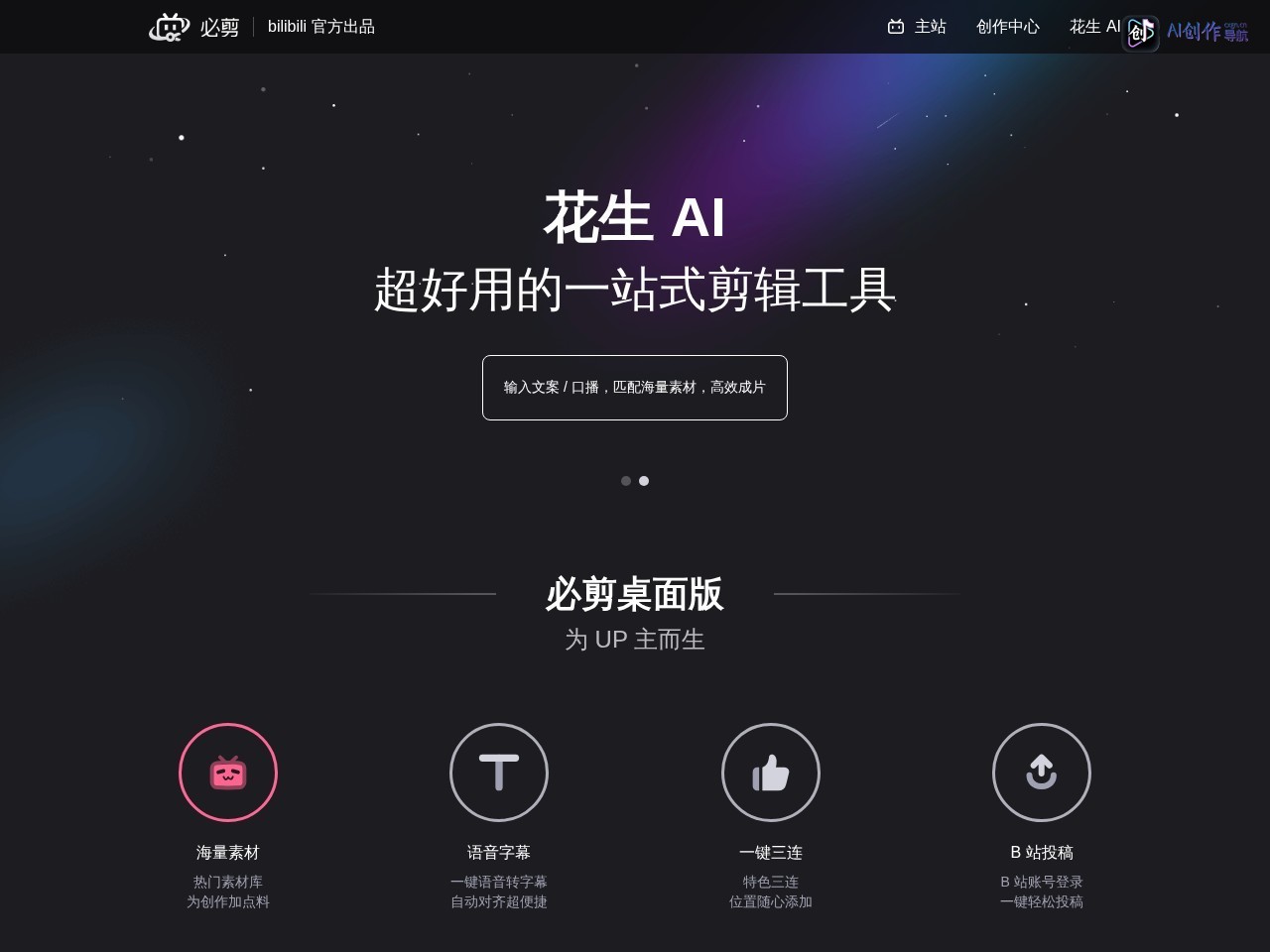
Station B 必剪 is an eco-level editing tool created by Station B to solve the pain points of "creators 'high editing technology threshold, difficult adaptation of Station B's style, and low content production efficiency", positioning themselves as "the exclusive editing assistant for Station B's creators." Tools are deeply bound to Station B's ecosystem: on the one hand, they integrate Station B's exclusive resources (such as popular opera materials, Station B's special stickers, and UP's main BGM) to ensure that the editing content naturally fits the community style of Station B; on the other hand, they simplify the creative process through AI technology-from AI automatic generation of subtitles, intelligent strip removal, to AI special effects/filters, which greatly reduces the operating difficulty of zero-based creators. At the same time, the tool supports the seamless connection of "editing and submission". After completing the work, it can be directly synchronized to the background of Station B, reducing the loss of material export and format conversion. It is the core link of the "content production-platform release" closed-loop in Station B ecosystem. It is also a key tool for ordinary users to transform into UP masters.
Core functions:
1. AI-driven efficient editing capabilities
-
AI intelligent captioning and voice processing
- Fully automatic subtitle generation : Supports recognition of Chinese and English voices in videos, generates accurate subtitles within 1 minute, automatically matches the mouth rhythm, and also provides customization of subtitle styles (fonts, colors, shadows), eliminating the need to manually input sentences one by one, solving the pain point of "subtitle production is time-consuming"(for example, AI automatically generates game term subtitles after the game UP main records the commentary video);
- Speech to text/text-to-speech : Support the extraction of video speech into text (easy to modify copywriting). You can also enter text to generate AI speech (including multiple timbre options), which can adapt to "dubbing without commentary material" scenes (For example, when editing landscape videos, use AI speech to generate narration).
-
AI automatic editing and material optimization
- Intelligent strip removal and highlight extraction : After importing long videos (such as live playback, game screen recording), AI can automatically identify exciting clips (such as game killing moments, live high-energy conversations) and split them into Short Video, saving manual screening time;
- AI image quality optimization : Supports AI noise reduction (removing background noise), AI sharpening (improving picture clarity), AI image expansion (expanding 16:9 video to 9:16 portrait screen to avoid picture stretching), Adapt to the release needs of Short Video platforms;
- One-click filmmaking templates : Provide theme templates such as "vlog","games" and "knowledge". After importing materials, AI automatically matches transitions, BGM and filters. Zero-based users can also quickly generate high-quality videos.
-
AI special effects and creative tools
- AI special effects library : Contains AI-generated special effects such as "dynamic stickers","particle effects" and "screen tracking", and supports intelligent matching based on video content (such as automatically adding "avatar stickers" when a person is recognized);
- AI painting generation : Enter text descriptions (such as "Cyberpunk Style City"), and AI can generate custom background images or illustrations for video titles/transitions to enhance creativity;
- Special AI materials of Station B : Exclusive provision of "bullet screen effects","drama stickers"(such as popular IP materials such as "Ghost Blade" and "Original God"), and "UP Master Similar Filter" to ensure The content conforms to the community aesthetics of Station B.
2. Station B ecological exclusive adaptation function
-
Full link submission support
- Automatic format adaptation : Export the recommended format for Station B by default (such as 1080P/4K resolution, H.264 encoding) to avoid submission failure due to format errors; you can directly set the "submission section"(such as games, life, knowledge) when editing. After completing, you can jump to Station B's submission page with one click to automatically fill in video information (title, label);
- Adaptation of bullet screen and interaction : Support reserving a "bullet screen area" during editing (to prevent important content from being blocked by bullet screens), and add a "one-click three links"(likes, coins, and favorites) guide sticker to increase video interaction rate.
-
Station B exclusive material library
- Genuine BGM and sound effects : Integrate the popular music library of Station B (including commonly used BGM and copyrighted sound effects by UP masters), so you don't have to worry about infringement issues. You can filter according to "style"(healing, burning direction, funny) or "popularity";
- Community Hot Stalker Materials : Update popular Stalker stickers on Station B (such as "awsl" and "Juejue") and emoji pack materials in real time to help creators quickly follow up on community hotspots and improve video dissemination (such as editing "Annual Summary" videos, add the "2024 Hot Stalker Collection" sticker).
3. Multi-terminal collaboration and lightweight operations
- Full platform data synchronization : Supports web, PC, and mobile account synchronization. Drafts edited on mobile phones can continue to be edited on the computer, adapting to the "fragmented collection of materials + systematic editing" scenarios (such as going out with mobile phones to shoot material, and use PC to edit fine at home);
- Low-threshold operation interface : It adopts the "Timeline + Fool Button" design, with clear guidance on core functions (editing, segmentation, adding special effects). The novice tutorial covers "Basic Operations-Advanced Skills", and you can master the basic editing process in 10 minutes.
Typical application scenarios:
| scene type |
core application |
Realize logic and value |
| Station B UP main daily creation |
Game commentary, life vlog, knowledge science video production |
After the game UP dominates the recording screen, AI automatically removes highlights, generates captions, adds station B game stickers and popular BGM, and completes the original 3-hour editing work in one hour; Knowledge UP mainly uses AI to generate narration and text effects to improve video professionalism |
| Introduction to novice creators |
Video produced by ordinary users who submitted submissions to Station B for the first time |
Select the "vlog One-Click Filming Template" to import life materials captured on your mobile phone. AI automatically matches transitions and filters to generate videos that match the style of Station B. Submission can be completed without learning complex editing skills |
| Hot content tracking |
Follow up on popular events on Station B (such as drama updates, community activities) |
Use the "Hot Stalk Material Library" to add the latest bullet screen stickers and glyphs, use AI to quickly edit relevant clips, and produce hot videos in 10 minutes to seize the opportunity of traffic |
| Secondary creation of Short Video |
Cut long videos (such as movies, live replays) into Short Video |
After importing long videos, AI automatically extracts highlights, generates a portrait version and optimizes image quality, adds AI subtitles to adapt to the submission needs of Station B's "Short Video Zone" |
Applicable population:
- UP Master of Station B : Full-time/part-time UP Master (game, life, knowledge, drama area, etc.), it is necessary to efficiently produce videos conforming to the style of Station B, reduce editing costs and increase update frequency;
- Video creation novice : Ordinary users who have no editing experience but want to contribute to Station B rely on one-click template and AI function to get started quickly, avoiding giving up creation due to technical threshold;
- Self-media creator : Creators who need to publish content across platforms (B station + chatter/fast hand) can quickly adapt to different platform formats by using AI enlargement and vertical screen editing functions;
- Students and interest enthusiasts : Make campus activity videos, interest sharing videos (such as animation clips, hand account records), and use the exclusive material library of Station B to enhance the interest of content while avoiding copyright risks.
Unique advantages:
- Deep ecological binding of Station B : Exclusive provision of copyrighted materials (BGM, folk drama stickers, hot stalk materials) for Station B to avoid infringement issues; full-link adaptation for editing and submission, reducing the number of operations by 50% compared with third-party tools. steps;
- AI functions are scene-oriented and precise : AI functions closely follow the creator's pain points (such as subtitle generation and highlight extraction) rather than "dazzling functions", which actually improve creative efficiency, especially suitable for medium and long videos in Station B (5-15 minutes) editing needs;
- Zero-cost entry and advanced compatibility : Basic functions are completely free to meet the needs of novices; member value-added services (such as high-definition export, AI painting) are adapted to the advanced creations of mature UP owners, taking into account users at different stages;
- Integration of community attributes : The material library updates the community hotspots of Station B in real time, helping creators quickly follow up with trends, improving the exposure and interaction rate of videos on Station B, and forming a positive cycle of "tool-content-community".
Disclaimer: Tool information is based on public sources for reference only. Use of third-party tools is at your own risk. See full disclaimer for details.